Remember that it is essential to read our update instructions really carefully
After the release of 2.3.0 we received many positive feedback contacts and reviews, we’re happy that users are satisfied with the improvements we made :) but we’re not stopping and we’re still on our way to make the gap even bigger between Open Classifieds and its competitors. I’ve also seen many users getting creative with the new Interactive map feature, if you haven’t tried it yet now is the time.
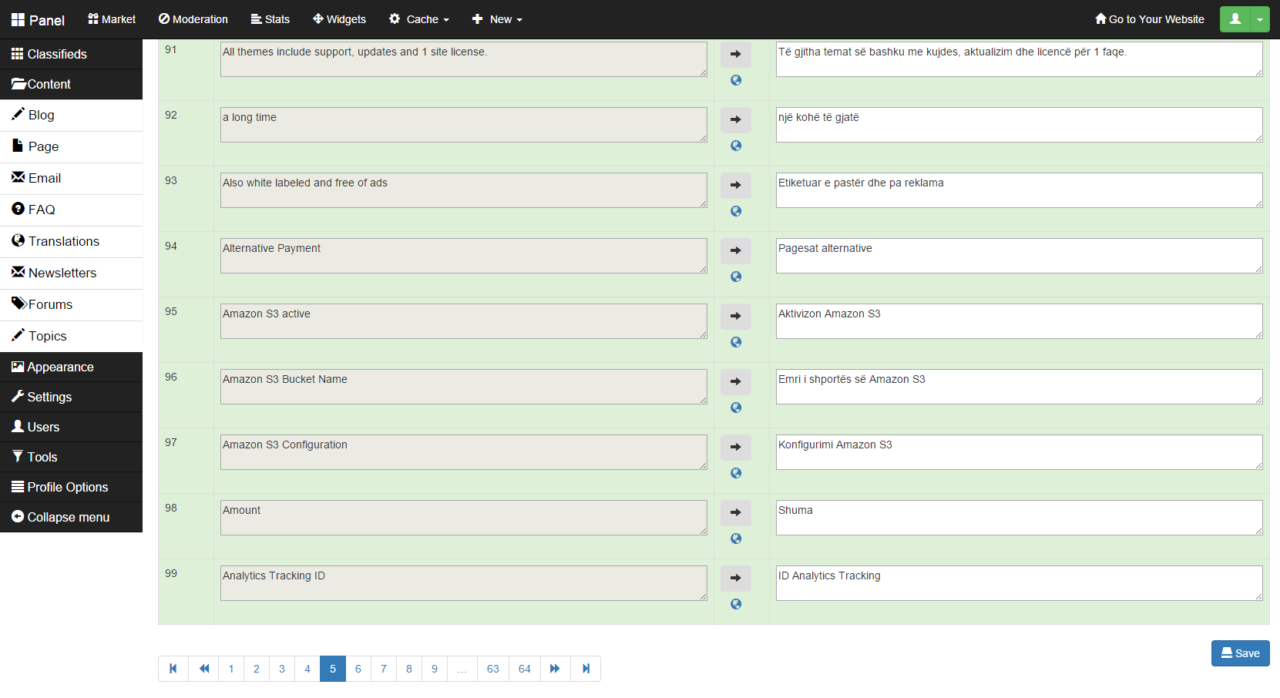
Because we’ve also received many comments and forum posts regarding the translation panel we decided it’s time to improve it a lot! with 2.3.1 translating the software and changing any text is now faster and easier than ever, it took us a lot of time and effort but now you wont face any issue with this feature. So now the text fields are ordered alphabetically and separated into pages, you can also filter the fields that are already changed or translated.
Although the software is available in 30 languages already, today the software is also available in Albanian thanks to our last contributor who translated the software fully enabling many users to create a classifieds website in Albanian.
All of the bugs that has been reported since the release of 2.3.0 are now fixed and Open Classifieds is now even more powerful than it has ever been :) you can find the full list of changes at our github repository
How to update?
Really important that you do not execute the automatic update from your oc-panel since it won’t work unless if your OC version is 2.2.1 or higher. Read these instructions carefully.
If you can’t update your site we offer the update service for $50 if you have a 2.x, if you have an older version contact us first please.
Website is running on Open Classifieds 2.2.1 or higher:
By following this way you will just need to follow the normal automatic update steps:
- Make a backup of all your files and DB (recommended)
- Log in to your OC admin panel
- go to tools > update and click Update
Manual update for advanced users only
Please follow the instructions carefully to prevent from getting into any errors.
- Make a backup of all your files and DB (recommended)
- Log in at your OC panel
- Activate the default theme if you had a premium theme
- Download latest 2.3.1 and extract the files in its folder
- Enable maintenance mode
- Open your FTP or your website file manager
- Delete all files in your website folder except for the following:
- robots.txt
- /oc/config/auth.php
- /oc/config/database.php
- .htaccess
- /images/
- and /themes/ if you had a custom theme.
- Now upload to your folder all files we extracted earlier except for the files we mentioned in the previous step and the “/install” folder
- Run in your browser http://yourdomain.com/oc-panel/update/database?from_version=2.0.3
- Ready!
Troubleshooting
————— If you are running a version of OC older than 2.1.4 you will get this message after updating: Fatal error: Class ‘Database_Mysql’ not found , to fix it follow this short guide. Then execute at your browser again: http://yourdomain.com/oc-panel/update/database?from_version=2.0.3 ————— If you are running version lower than any 2.x, that means any 1.x version follow first this guide. ————— If you accidentally have clicked on update when you shouldn’t, please follow the manual update instructions.
[jetpack_subscription_form]
