0You are building a large scale classifieds website with lots of categories and locations, but you’re having a problem with adding them all in without spending so much time on typing each category or location and pressing enter with our quick category/location creator.
We have the solution for you! You can use an easy import tool to add all of your locations and categories with a press of a button. You simple need to follow those steps:
1. Log into your Admin Panel
2. Go to Tools > Import tool
3. Upload CSV files for your locations and categories
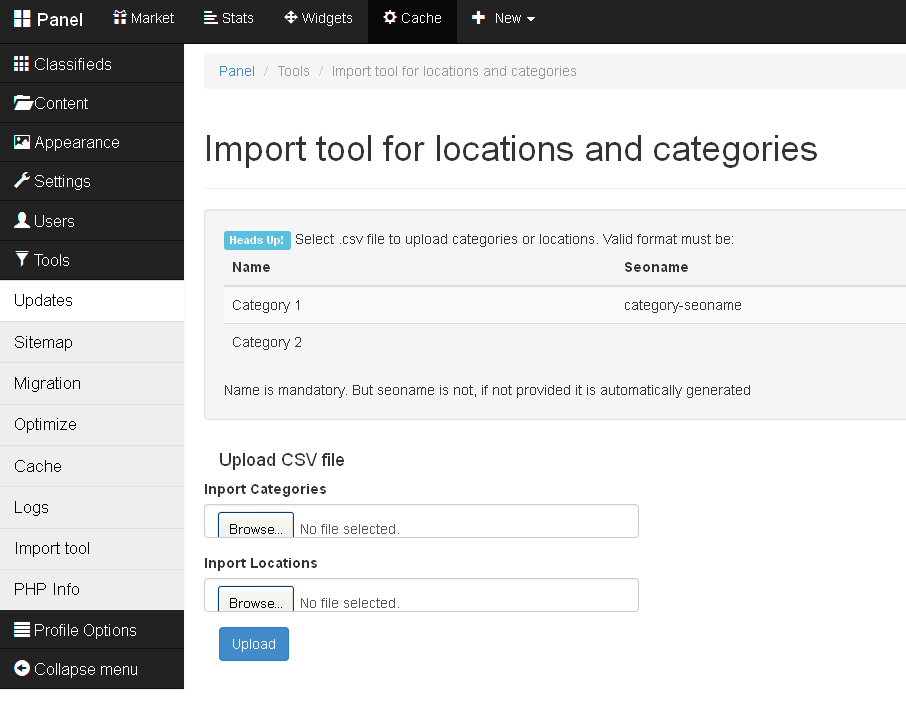
The CSV file should have two fields:
- Name: the name of the category/location (mandatory)
- Seoname: your chosen SEO name for the category/location (this is optional to enter)
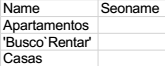
Here is a small example of how it should be:
Let us know what you want to know about next! Post a comment in the section below and share your thoughts with us.
Regards from Kinan and Open Classifieds team.
[jetpack_subscription_form]
