The slider is considered one of the main parts in a classifieds site homepage, it attracts most of the users’ attention. Which is why we had a couple of options for you to choose from, each option shows different kind of ads at your homepage.
You need to follow those steps:
1. Log into your Admin Panel
2. Go to Settings > Advertisement
3. At the Advertisements in home section choose one of the four available options.
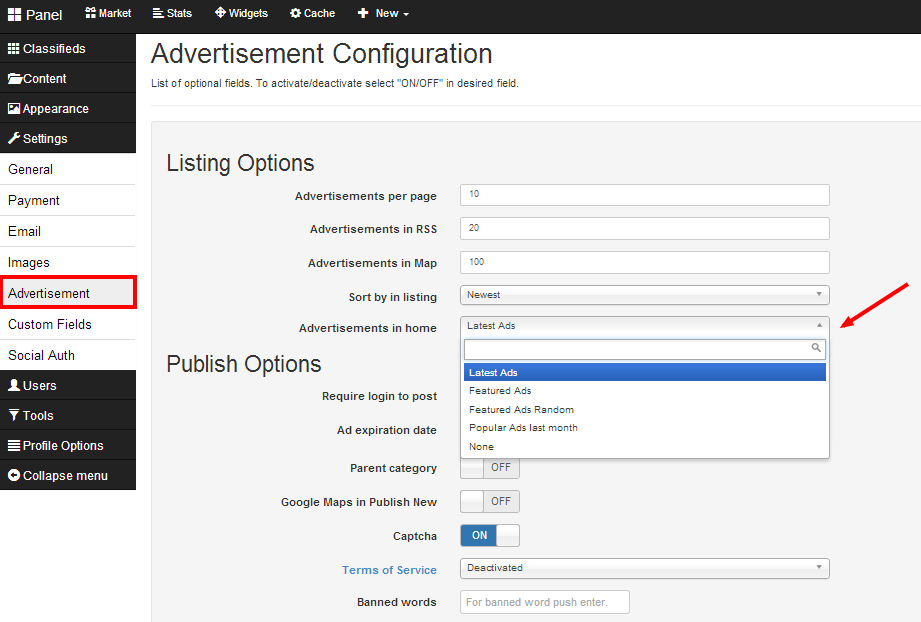
The available options are:
Latest ads: It shows the last ads published at your website.
Featured ads: Displays ads that you chose to be featured.
Featured Ads Random: Displays ads which are featured in random order.
Popular Ads last month: Displays ads with most clicks/views during the past month.
Related posts:
[jetpack_subscription_form]
